

Crossword Helper
The Crossword Helper brings a whole puzzle onto your screen. Snap the grid, add the clues and get word suggestions that respect the letters already crossing each answer.
Opens Unscramble Words 4U, our free word-puzzle site, in a new tab. Free, with no sign-up.
What it does
Instead of handling one answer at a time, the helper rebuilds the entire grid. Give it a picture or screenshot and it looks for the grid, figures out how many squares there are and which are shaded. Detection isn’t foolproof, so you always see the result first: tapping a square flips its color, and rows and columns can each be set from 5 to 23. Rather skip the picture? Pick a size and start from an empty grid, with an optional mirror setting that copies each change to the opposite side so the layout stays balanced.
Once the grid matches, add the clues and start writing in letters. The grid, clues and progress are remembered by your browser on that device, so an unfinished puzzle is waiting when you return. Image processing happens locally, and the picture is never sent to a server.
How to use it
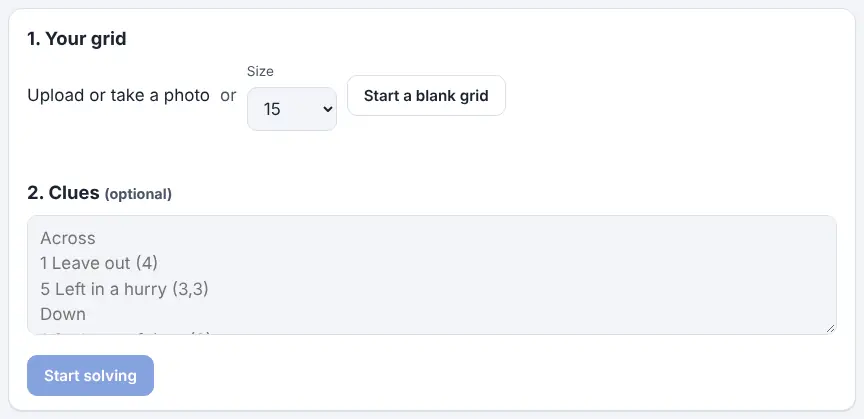
- In the first step, upload a picture or use your camera, or choose a size and pick the blank-grid option. Tap to fix any squares that came out wrong.
- Type or paste the clues: a heading line reading Across, the across clues one per line with number and length in parentheses, then a Down heading and the down clues. Clue numbers are figured out from where the shaded squares sit.
- Press Start solving and begin entering letters. Tapping the selected square again changes direction; arrow keys and the clue list help you get around.
- Choose Show words that fit to see dictionary words of the correct length that agree with your crossing letters, then tap a suggestion to place it. Multi-word answers get one list per word.
- Check this word and Check grid confirm whether entries are genuine words that fit – not whether they match the official solution, which the tool doesn’t have.
- For cryptic clues there is an anagram helper: borrow letters by tapping words in the clue, or type them, then press Find anagrams.
More tips
- The tool picks out only the grid from an image, never the clue wording, so type or paste clues separately.
- Coming back later? Use the button to resume your previous puzzle on the same device.
Ideas for the classroom and homeschool
- Grades 3–5Snap a printed vocabulary crossword and solve it together on the classroom display. Students offer answers, and Check this word shows whether each guess is a genuine word of the right shape.
- Grades 6–8Start from an empty grid with the mirror setting on. Teams design a balanced layout, fill it with unit vocabulary and write clues for another team to solve.
- Grades 9–12Introduce cryptic clues, a style popular in British newspapers, with the anagram helper: show how a ‘signal’ word points to letters for rearranging, then let partners try a few more.
- Adult learnersHost a lunchtime puzzle club where each member brings a crossword, rebuilds it on screen, and the group trades tactics for using crossing letters.
Learning a language? Take the challenge
Studying another language? Switch the Dictionary to the language you are learning and make a small empty grid to fill with new vocabulary. The word site’s games and solvers use word lists in 21 languages, and its pages are available in 15. Let Show words that fit suggest words for the gaps, then look up anything unfamiliar.
Questions
Will it pick up the clues from my picture?
No – only the grid and shaded squares are detected, so clues have to be typed or pasted. That keeps the page light and your image private.
Why does a check say a word fits instead of saying it’s correct?
The tool has no answer key. It can confirm that a word exists and suits the length and crossing letters, but only the clue can decide which of several fitting words is right.
The grid looks wrong – what should I do?
Flip squares with a tap, adjust the rows and columns, or take a fresh, straighter and closer picture. A screenshot often works even better.
Does it remember my puzzle?
Yes, in your browser on that device only. None of it is sent to the site.
Opens Unscramble Words 4U, our free word-puzzle site, in a new tab. Free, with no sign-up.
Use it for crosswords you are solving yourself, and please don’t republish other people’s puzzles.