

Braille Translator
Explore how braille works by turning text into Unicode braille characters, or reading braille characters back as text.
Opens Unscramble Words 4U, our free word-puzzle site, in a new tab. Free, with no sign-up.
What it does
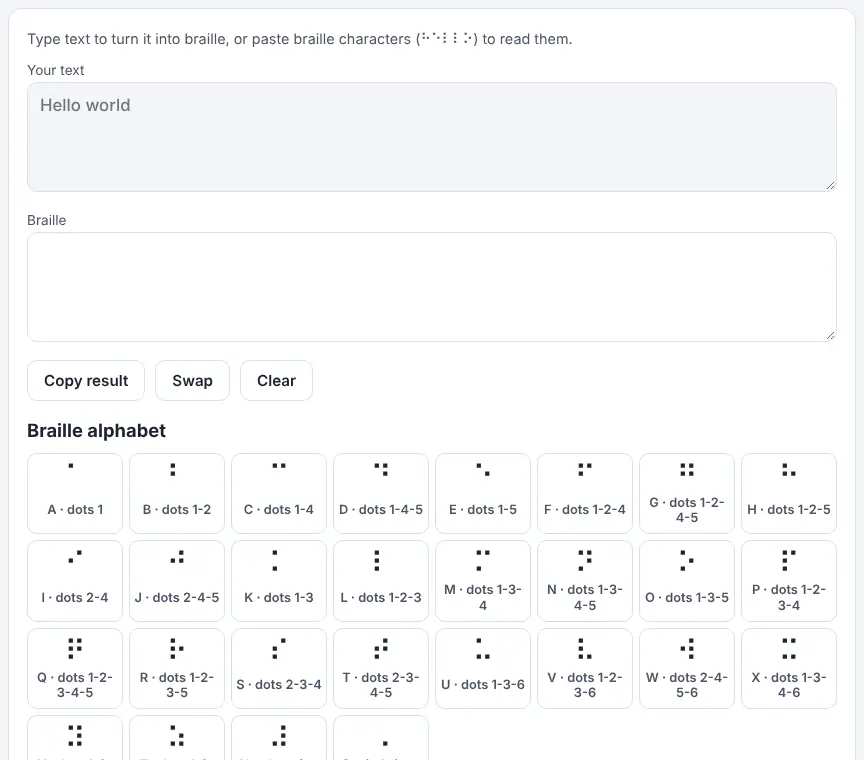
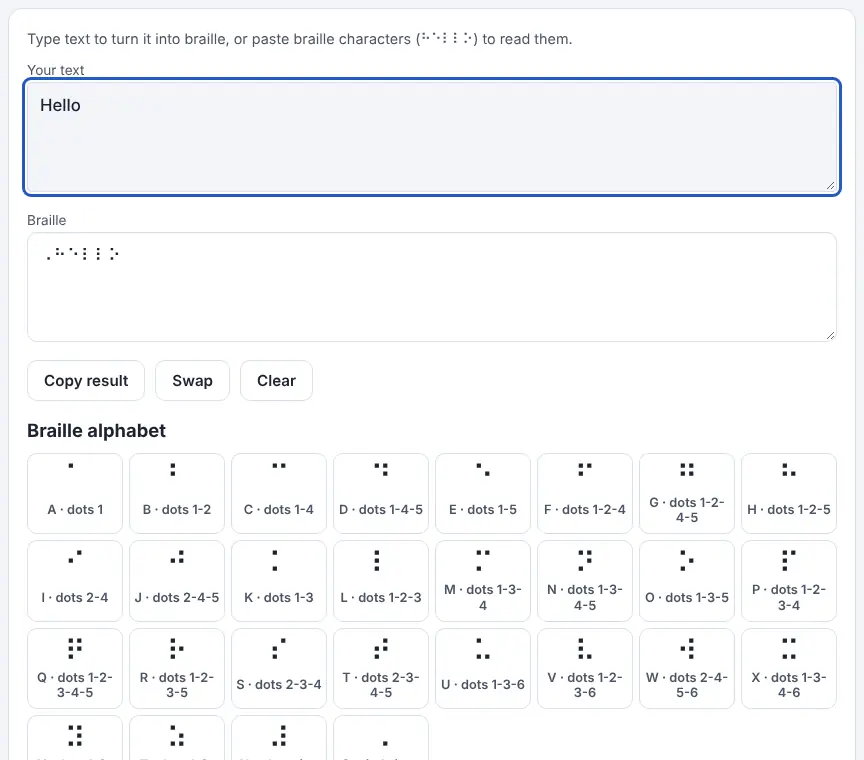
Type text and the tool shows it as braille cells using the Unicode braille characters, ready to copy into a document. Paste braille characters to get text back, and press Swap to move the result into the input box. It follows Unified English Braille in its uncontracted form, often called Grade 1, which is the agreed braille code for English used in the UK, the US and many other English-speaking nations. Digits are preceded by the number sign, a capital gets the capital sign (written twice for an all-capitals word), and the tool inserts the extra indicator UEB requires when one of the letters A–J directly follows a digit.
A chart lists every letter with its dot numbers. A braille cell has room for six dots in two columns: 1, 2 and 3 on the left, then 4, 5 and 6 on the right. The system was created by the Frenchman Louis Braille, blinded in childhood, and published in 1829. Most published braille, on signs and in books, is contracted (Grade 2), with shortcuts for frequent words and letter combinations; the tool does not handle those. Use it to learn about braille, not as a substitute for learning to read it by touch or for professional transcription.
How to use it
- Type your text into the box.
- Read the braille characters in the result box and press Copy result if you need them.
- To read braille, paste Unicode braille characters into the box.
- Press Swap to move the result into the input, or Clear to start again.
- Look at the chart to match each cell to its dots.
More tips
- Cells returned as question marks are likely Grade 2 contractions or symbols outside what the tool covers.
Ideas for the classroom and homeschool
- Grades K–2Make tactile name cards with glue dots or pressed card using the tool's dot numbers, and talk about how some people read with their fingers.
- Grades 3–5History and science link: learn about Louis Braille, then investigate how the six-dot cell fits a fingertip.
- Grades 3–5Math: work out how many dot patterns are possible in a six-dot cell (63 with at least one dot raised).
- Grades 6–8Inclusion and design: audit signs around school for accessibility and research how braille signage is properly produced.
Questions
Which version of braille is it?
Grade 1 (uncontracted) UEB, letter by letter.
Can I print braille with it?
Printing gives flat characters only. Raised dots need an embosser or a braille writing machine.
Why do some cells turn into question marks?
They are most likely contractions or symbols beyond Grade 1, which the translator leaves out.
Can I use this for real signs or documents?
No. For anything a blind reader will rely on, ask a qualified braille transcriber to produce and check it.
Opens Unscramble Words 4U, our free word-puzzle site, in a new tab. Free, with no sign-up.
Treat braille with respect: it is a real literacy system for blind and partially sighted people. This tool is for awareness and exploration and is no substitute for proper braille teaching or professional transcription.