

Morse Code App
Put the whole set of Morse tools on a phone, tablet or laptop straight from the browser, then keep using them when there is no Wi‑Fi.
Opens Unscramble Words 4U, our free word-puzzle site, in a new tab. Free, with no sign-up.
What it does
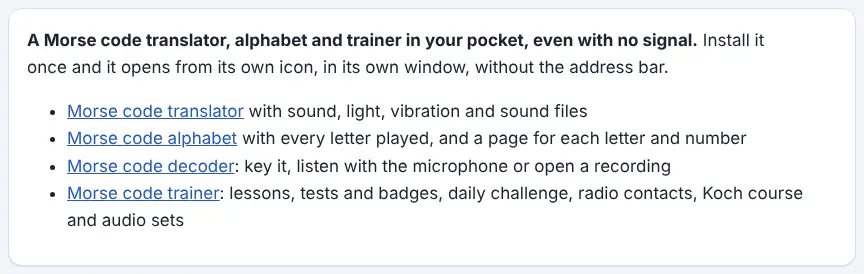
The Morse Code App from Unscramble Words 4U is a web app rather than a store download. Installing it gives the Morse tools their own icon and window, without the browser’s address bar. Inside you get the translator (which can beep, flash, vibrate or save WAV files), the alphabet chart and the individual letter and number pages, the decoder with its key, microphone and file modes, and the complete trainer, including lessons, tests and badges, the daily challenge, practice radio contacts, the Koch course and audio sets.
Once installed, these work with no internet connection, which is handy on school trips, in rooms with weak Wi‑Fi or on devices that are not allowed online. There is nothing to pay, no sign-up and no in-app purchases. According to the page, the English version takes up under 2 MB, refreshes itself whenever it is opened while online, and shows no adverts when offline. Links inside it to the maker’s other sites, including Classfern, still need a connection.
How to use it
- Visit the Morse Code App page and press the button to get the free app.
- On Chrome, Edge or Android the browser normally asks you to confirm – accept and you are done.
- On iPhone or iPad, open the page in Safari, tap Share, choose Add to Home Screen, then Add.
- On a Mac using Safari, open the File menu and pick Add to Dock.
- Firefox on a computer cannot install sites as apps, but the page explains that the Morse pages are still saved for offline use if you bookmark them. For an icon, use Chrome, Edge or Safari.
- Open the new Morse Trainer icon. To remove it later, uninstall it like any app and clear the site’s data in your browser.
More tips
- Scores in the trainer are kept on each device, so give pupils the same tablet each time if you want them to track progress.
- The translator also comes in ten other languages, each with its own app – useful in a multilingual class.
Ideas for the classroom and home learning
- KS2 (7–11)Outdoor learning: take installed tablets into the playground or on a residential trip and send torch-style light messages across a field.
- KS3 (11–14)Computing: discuss what ‘installing’ a web app means, where the offline copies are stored and how this differs from an app store download.
- KS3 (11–14)History of communication: compare learning Morse offline on a phone with how telegraph operators trained, and discuss what has and has not changed.
- KS4 (14–16)Digital citizenship: read the app’s explanation of what it saves on the device and evaluate it like a privacy notice.
Questions
Is it really free?
Yes. The page says there is no charge, no account and nothing to buy inside it. It is the same set of Morse tools as the website.
What does it store on the device?
Offline copies of the Morse tools’ pages and scripts, held in the browser’s storage. The page says this holds no personal information. Trainer settings and scores are stored in the browser too.
Does it use the microphone?
Only if you start the microphone decoder or pick microphone sending in the trainer – and the browser asks your permission first. The page says the sound is decoded on the device and not recorded.
Do I need to update it?
No. It fetches the newest pages automatically whenever it opens with a connection.
Opens Unscramble Words 4U, our free word-puzzle site, in a new tab. Free, with no sign-up.
Check your school’s rules on installing apps on shared devices. Light modes can affect people with photosensitive epilepsy.