

Sudoku Solver
Sudoku asks you to fill a 9 × 9 grid so every row, column and 3 × 3 box contains the digits 1 to 9 once each. This free solver can finish a puzzle outright, but its real strength is hints that explain the reasoning behind the next move.
Opens Unscramble Words 4U, our free word-puzzle site, in a new tab. Free, with no sign-up.
What it does
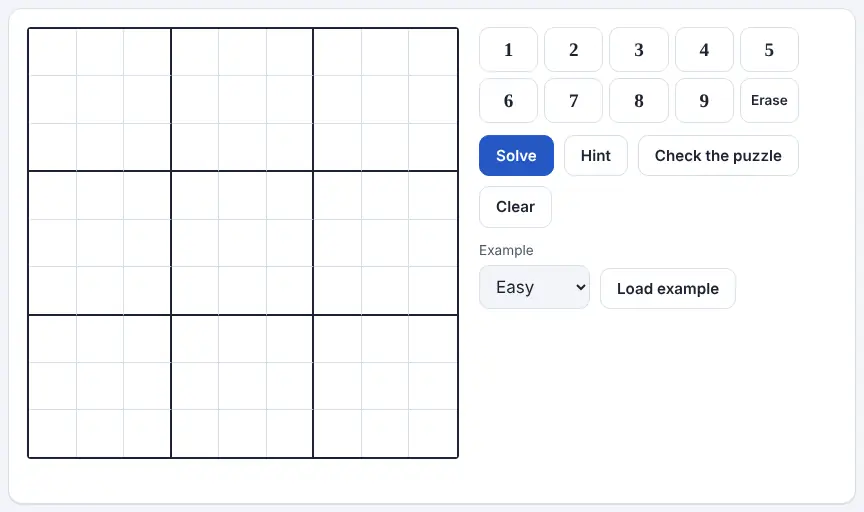
You type the given numbers into the grid and leave blanks empty. Solve completes the grid, showing the digits it added in blue so they stand out from yours. If two of your entries break the rules – say, two 4s in one box – both turn red, so copying mistakes are caught early.
Hint is the learning feature. It places a single number and explains why it has to go there. Usually that’s one of the two core techniques: a square where only one digit is still possible, or a digit that can fit in just one spot within a particular row, column or box. On very tough puzzles where neither works, the hint chooses whichever square has the smallest number of candidates, gives its value from the solution and tells you it did that. There’s also a check that reports whether your grid has one solution, several or none. Everything runs on your device.
How to use it
- Select any square and enter a digit between 1 and 9 – the cursor then steps forward by itself, and the arrow keys move it anywhere. Phone users pick a square and then press one of the on-screen digit buttons.
- Leave unknown squares blank. Delete, Backspace, 0 or the Erase button clears one.
- Watch for red squares – they flag a digit that appears twice in the same line or box. Fix those first.
- Press Hint for one explained step, or Solve to complete the grid.
- Press Check the puzzle to find out whether it has exactly one answer. Clear empties the grid, and the Example menu (Easy, Medium or Hard) with Load example gives you a puzzle to try.
More tips
- If the check reports more than one solution, a given number was probably skipped when copying; if it reports none, one was likely typed in the wrong square.
- Scan for digits that already appear many times in the grid – there may be just one gap left for them in a box.
Ideas for the classroom and homeschool
- Grades 3–5Load an Easy example on the board. The class suggests a square, explains its choice, then you press Hint to compare reasoning with the tool’s.
- Grades 6–8Teach the two basic techniques explicitly, then have students predict which type each hint will be before revealing it.
- Grades 7–10Use Check the puzzle to explore uniqueness: students remove clues from a grid one at a time and find the point where it no longer has a single solution.
- Grades 9–12In computer science, discuss how a solver can combine logical deduction with trial-and-error search that backs up when it hits a dead end.
Questions
Will it solve any sudoku?
Any standard 9 × 9 puzzle that has a solution, whether gentle or fiendish, normally in a tiny fraction of a second.
What happens if a puzzle has several solutions?
Solve completes one valid answer and warns you that alternatives exist. Check the puzzle confirms whether there is one, more than one or none.
Does it need to stay online?
Just for the first page load. After that, all the work happens in your browser, and what you type isn’t sent anywhere.
Opens Unscramble Words 4U, our free word-puzzle site, in a new tab. Free, with no sign-up.
The red and blue color cues are helpful, and each grid square also carries a row-and-column label that screen readers can announce.